
Skip to content
Automated Mailroom

Compliance

Certified Mail with electronic return receipt

Certified Mail proves a letter was mailed and, with a return receipt, that it was delivered and signed for. The traditional version means filling in a green card for every piece, waiting for it to come back and filing it. With an electronic return receipt, USPS captures the signature and it reaches you as a PDF, stored online, with an email the day the letter is delivered. It also costs less than the paper card.

CertifiedMailStream is the web service we set up for offices that send Certified Mail regularly: law firms, medical and financial offices, and anyone else who needs dated proof. If you already run MailONE with your PostBase, its Certified Mail Manager does the same job from the meter's software.

CertifiedMailStream is a web service operated by certifiedmailstream.com. Automated Mailroom sets it up and supports it.

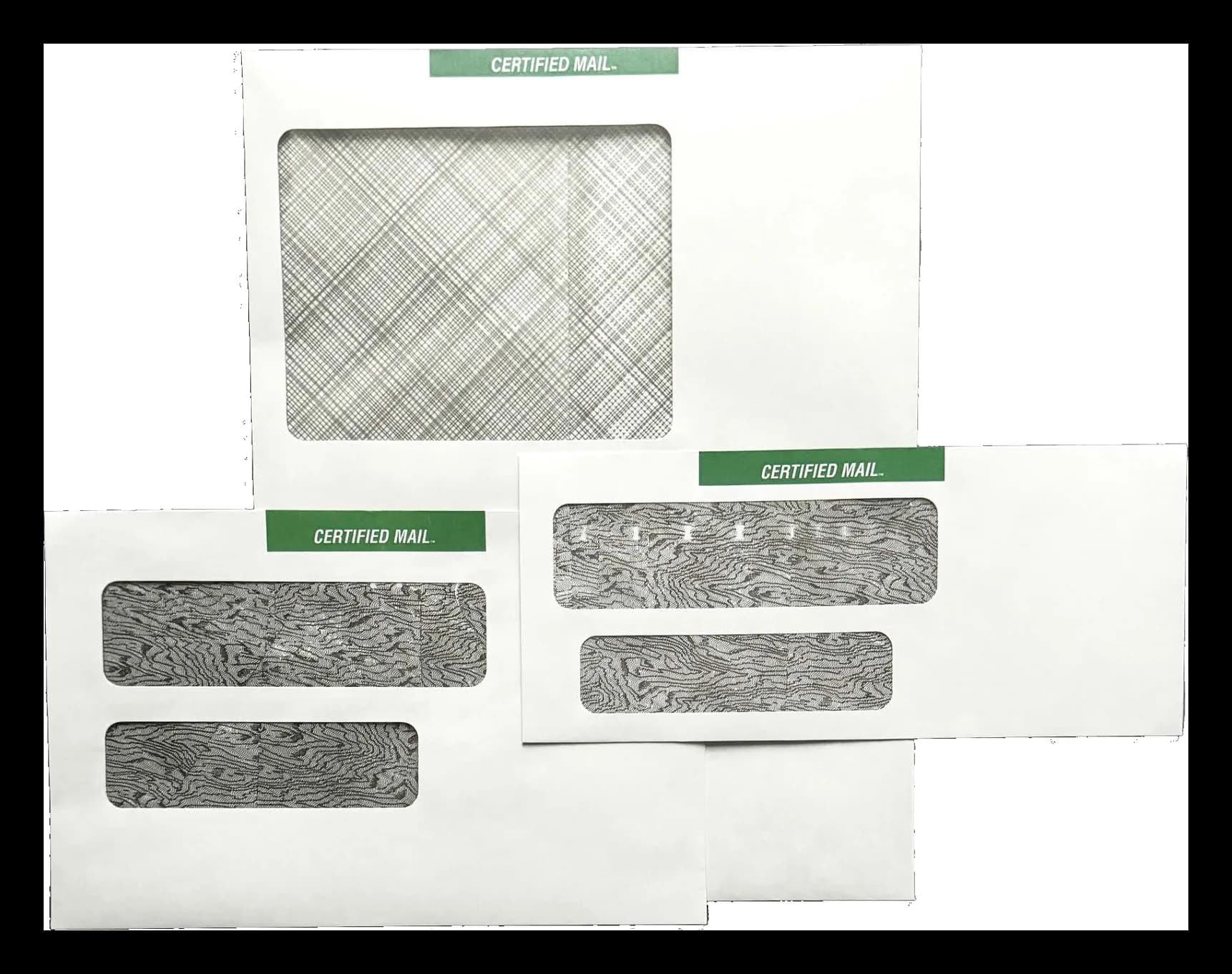
Certified Mail envelopes with the green Certified Mail banner
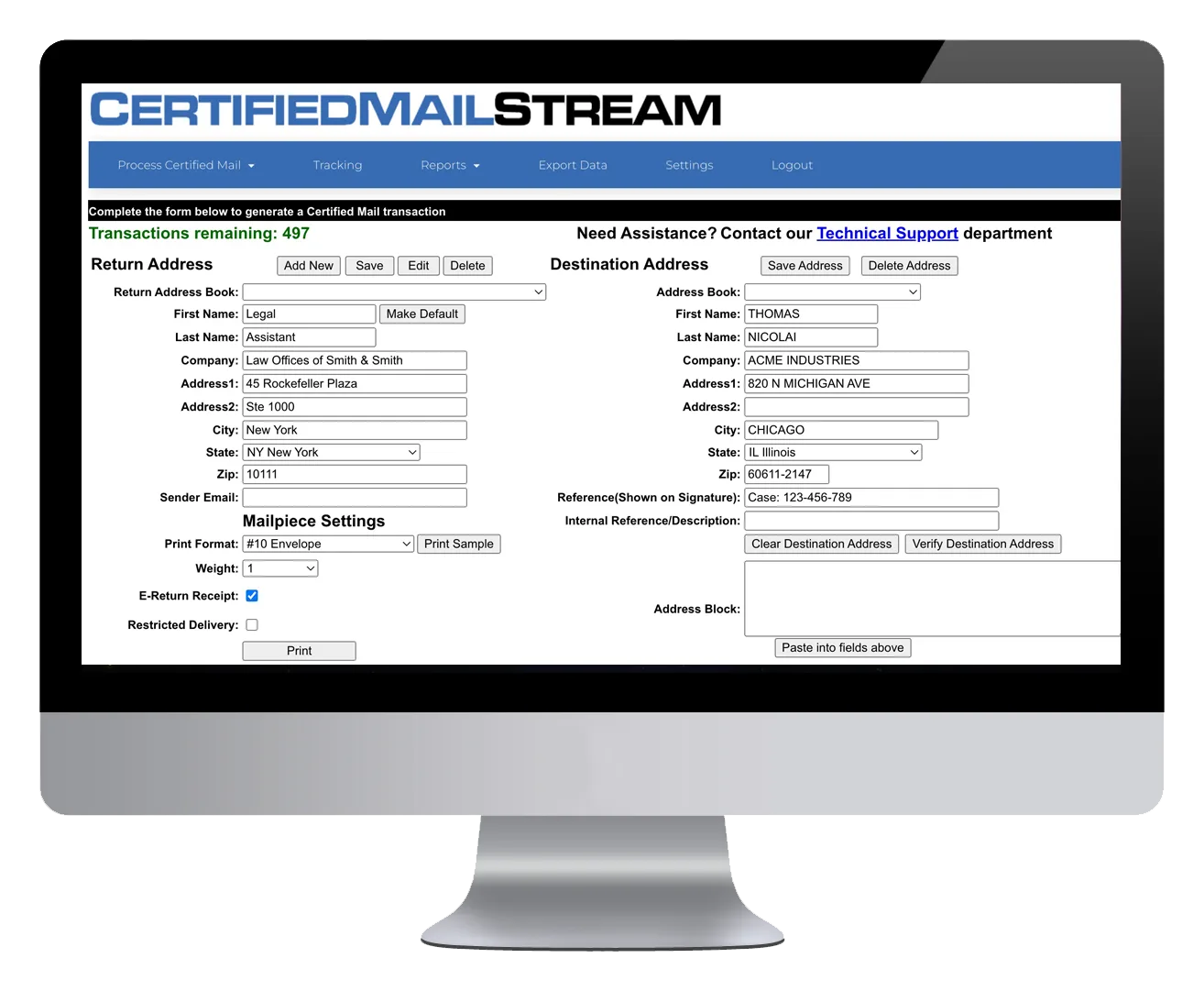
CertifiedMailStream's mail piece form on a desktop monitor

CertifiedMailStream

CertifiedMailStream

Prepare, track and manage Certified Mail from any browser.

CertifiedMailStream is the simple, secure way to prepare, track and manage accountable mail. It runs in a browser with nothing to install. Enter an address, or batch-print from the address book or an imported file, and press print. The address is validated against USPS CASS data first, so a missing suite number is caught before the letter goes out and the address is standardized with ZIP+4.

Print the Certified Mail cover page with its barcode on plain paper and insert it into a double-window Certified Mail envelope, or print a thermal label and apply it. The service then generates USPS Form 3877, the firm mailing book, with every tracking number filled in; present it at the post office for the dated postmark that is your proof of mailing. From there, a tracking email arrives each time a letter is delivered, and the signed return receipt sits in your dashboard as a PDF.

Key features

  • Cloud-based, nothing to install; single or multi-user with admin and user roles, unlimited users
  • Single pieces, or batches from the address book or an import file
  • USPS CASS address validation and ZIP+4 standardization before mailing
  • Cover page on plain paper for #10, 6 x 9 and 9 x 12 double-window envelopes, or thermal labels
  • USPS Firm Mailing Book, Form 3877, printed on plain paper with tracking numbers and an optional reference
  • Real-time delivery emails and a weekly delivery report
  • Electronic return receipts as PDF, singly or in bulk, stored for ten years
  • Tracking dashboard with filters and detailed history; cost account report and data export
Proof of mailing and proof of delivery

They are two different things and Certified Mail gives you both. Proof of mailing is the postmarked Form 3877: the post office stamps it when you hand over the pieces, and CertifiedMailStream prints the form with your tracking numbers already on it. Proof of delivery is the return receipt: the recipient's signature, captured by USPS and delivered to you electronically. The receipts stay in your account for ten years, and a reference you add, such as a matter or account number, prints on the receipt so it files itself.

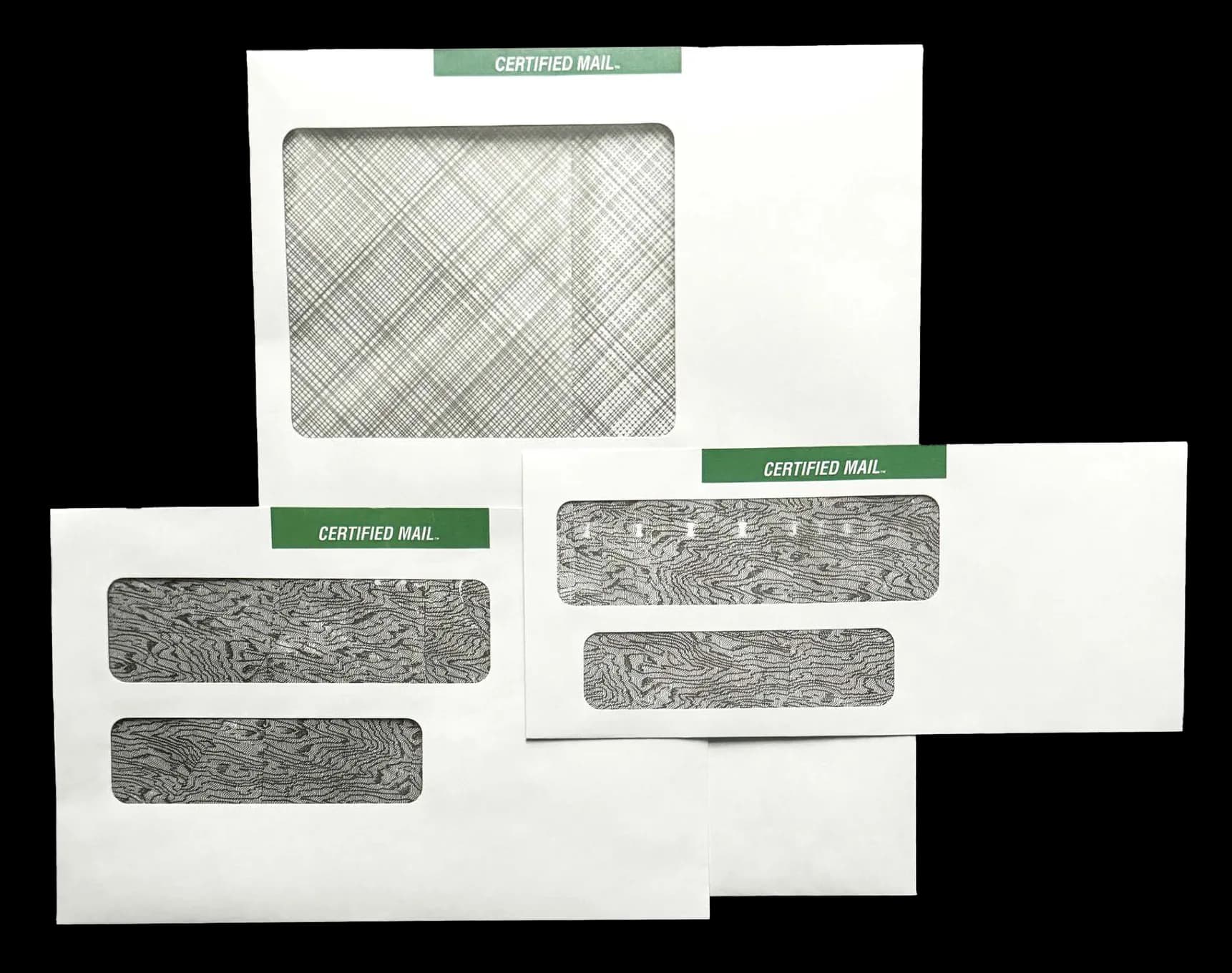
Double-window Certified Mail envelopes in #10, 6 x 9 and 9 x 12 sizes

Batches and envelopes

An office that sends a handful of pieces types each address. One that sends fifty a week imports a file or picks them from the address book and prints the batch. Either way the paperwork is the same: a cover page into a double-window Certified Mail envelope in #10, 6 by 9 or 9 by 12, or a thermal label on the envelope you already use.

Sending Certified Mail from a print file? Insert Ready Mail

CertifiedMailStream prints the cover page or label without postage. Insert Ready Mail, a separate Certified Mail service, prints the postage too. If your Certified Mail already comes out of a system as a PDF print file, there is no need to type or import a single address: Insert Ready Mail takes that same print file, reads the recipient, address and reference from each document, and builds a banner page with the certified number and live postage to go ahead of every letter. The signed proof comes back as a PDF, filed against the piece. See Insert Ready Mail for how it works, with a video.

If you run MailONE

MailONE, FP's software for the PostBase, includes a Certified Mail Manager that processes and tracks electronic Certified Mail and electronic return receipts from the meter's own software, searchable by recipient, address or certified number, with a dashboard view of every piece's status. If your Certified Mail goes out with the rest of the day's metered mail, that may be the simpler route; we will tell you which fits.

Questions we get asked

Do I need special envelopes?

Yes, if you use the cover page method: it needs a double-window Certified Mail envelope, available in #10, 6 x 9 and 9 x 12. If you would rather use your own envelopes, print the barcode on a Certified Mail thermal label instead.

How long are the receipts kept?

Electronic return receipts are stored in your account for ten years. Download them one at a time, in bulk as a single multi-page PDF, or have the week's signatures emailed to you.

Can several people in the office use it?

Yes. An account supports a single user or many, with admin and user roles and no limit on the number of users. A cost account report shows what each department spent.

Tell us what you send and who regulates it

Healthcare, legal and financial mail each need a different paper trail. Describe the job and we will show you the process, the equipment and the records it produces, then quote it.