
Support
FP Parcel Shipping how-to videos
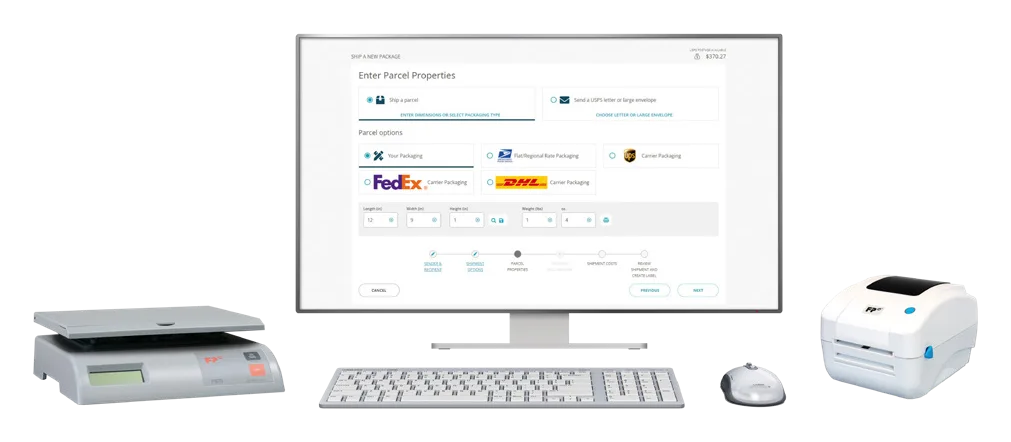
FP Parcel Shipping is the online application our customers use to print carrier labels with tracking, qualify for USPS commercial pricing and follow every package to delivery. FP publishes a how-to video for each part of setting it up and running it, and this page collects the complete series.
Work through the setup videos once, in order, and keep the page bookmarked for the jobs you do less often, like requesting a refund or connecting a new carrier account.
A sensible order for a new account
- Set up direct debit, then add postage.
- Connect your scale and set up the label printer.
- Create or edit the default sender address, import your address database, then build address groups.
- Onboard your UPS and FedEx accounts under carrier settings if you ship with them.
- Enable Library Mail and Media Mail if you send books or media.
- Batch-process multiple recipients when you have a run of shipments, and request a refund on a shipment when you need one.
Watch
How To Add Postage
How-to · FP Mailing Solutions on YouTube
How To Batch Process Multiple Recipients
How-to · FP Mailing Solutions on YouTube
How To Connect a Scale
How-to · FP Mailing Solutions on YouTube
How To Create An Address Group
How-to · FP Mailing Solutions on YouTube
How To Create Or Edit Default Sender Address
How-to · FP Mailing Solutions on YouTube
How To Edit Or Delete Addresses
How-to · FP Mailing Solutions on YouTube
How To Enable Library And Media Mail
How-to · FP Mailing Solutions on YouTube
How To Import An Address Database
How-to · FP Mailing Solutions on YouTube
How To Onboard Your FedEx Account - Carrier Settings
How-to · FP Mailing Solutions on YouTube
How To Onboard Your UPS Account - Carrier Settings
How-to · FP Mailing Solutions on YouTube
How To Request a Refund For a Shipment
How-to · FP Mailing Solutions on YouTube
How To Set Up A Label Printer
How-to · FP Mailing Solutions on YouTube
How To Set Up Direct Debit
How-to · FP Mailing Solutions on YouTube
Questions we get asked
Where does the discounted USPS pricing come from?
FP Parcel Shipping produces an approved shipping label with tracking, which qualifies each shipment for USPS commercial pricing and cubic rates instead of the retail counter price. The rates page explains the difference.
Can I ship with UPS or FedEx from it?
Yes. UPS, FedEx and DHL can be added so you compare options across carriers and pick the best rate for the date the parcel needs to arrive. The two carrier-settings videos walk through connecting a UPS or FedEx account.
Related
- Parcel shippingRate-shop every package across carriers and stop paying retail.
- SupportVideos, forms and downloads.
- Postal scalesFP scales that weigh, rate and connect to your meter.
- USPS ratesFirst-Class, extra services, Priority Mail and Ground Advantage prices as published by USPS, with the date they took effect and the date we last checked them.
Something not working?
Place a service call and someone calls you back to confirm it and schedule the visit. If you only need ink, labels or sealing solution, the supplies page is quicker.