
Support
Support for the equipment you already own
This page is for customers, not shoppers. It collects the short videos FP publishes on operating a PostBase meter, the forms we ask for, the software downloads for MailONE, and the fastest way to reach our service department.
If you are looking for a machine rather than help with one, start at the postage meters or folding and inserting pages instead.
Forms
Forms for Automated Mailroom customers: USPS certification, advance postage and our W-9, plus MailONE, RemoteONE and ReportONE installers for PostBase meters.
View →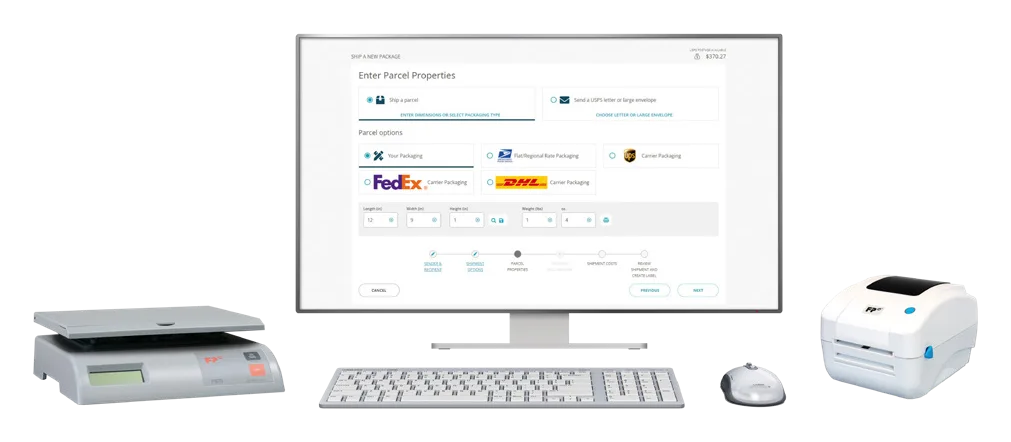
FP Parcel Shipping videos
Thirteen FP how-to videos for FP Parcel Shipping: add postage, connect a scale, set up a label printer, import addresses, add UPS and FedEx, request a refund.
View →A fault, empty ink, or a question
For a fault, place a service call at Service. Tell us what the machine is doing and someone calls back to confirm the request and schedule the visit.
For ink cartridges, labels, sealing solution and envelopes, order at Supplies. Postage is separate: you refill it through MyFP, from the meter or a browser, at any hour.
- Service call: Service
- Supplies: Supplies
- Postage refills: MyFP, from the meter or any browser
- Current USPS prices: USPS rates
Training videos
FP Mailing Solutions publishes short videos on the everyday jobs on a PostBase: unpacking and assembling a PostBase Fusion, registering on MyFP, adding and removing meter operators and cost accounts, and what to do after a meter exchange. They are below.
The complete how-to series for FP Parcel Shipping, thirteen videos from adding postage to requesting a refund, has its own page at FP Parcel Shipping videos.
Watch
PostBase Fusion Semi-Auto Unpacking
How-to · FP Mailing Solutions on YouTube
PostBase Fusion Semi-Auto Hardware Assembly & Connections
How-to · FP Mailing Solutions on YouTube
MyFP - How To Register Quick Setup
How-to · FP Mailing Solutions on YouTube
Adding a Meter Operator
How-to · FP Mailing Solutions on YouTube
Deleting Meter Operators
How-to · FP Mailing Solutions on YouTube
Adding a New Cost Account
How-to · FP Mailing Solutions on YouTube
Deleting a Cost Account
How-to · FP Mailing Solutions on YouTube
List of Cost Accounts with only one Meter Operator
How-to · FP Mailing Solutions on YouTube
What to do after an Exchange
How-to · FP Mailing Solutions on YouTube
Brochures, downloads and links
Questions we get asked
My meter says a rate update is available. What do I do?
Let it download. A PostBase takes new USPS rates by download; FP notifies customers when a change is ready and the meter prompts you. There is nothing to order and no charge for the update.
How do I add a user or a cost account on the meter?
Watch the short videos above: adding a meter operator, adding a cost account, and deleting either. If you run more than one meter, MyFP syncs cost accounts across them.
Where is the MailONE installer?
On the forms page, under downloads, with the Microsoft .NET prerequisite, the PostBase driver setup and the RemoteONE and ReportONE files and manual.
Related
- ServicePlace a service call.
- SuppliesInk, labels, sealing solution and envelopes.
- MailONEDesktop postage and account management for PostBase.
- USPS ratesFirst-Class, extra services, Priority Mail and Ground Advantage prices as published by USPS, with the date they took effect and the date we last checked them.
Something not working?
Place a service call and someone calls you back to confirm it and schedule the visit. If you only need ink, labels or sealing solution, the supplies page is quicker.